- 在页面上创建右键菜单,这是桌面端应用中很常见的一个功能点。本文的介绍了如何使用 Menu 模块来创建一个右键菜单。
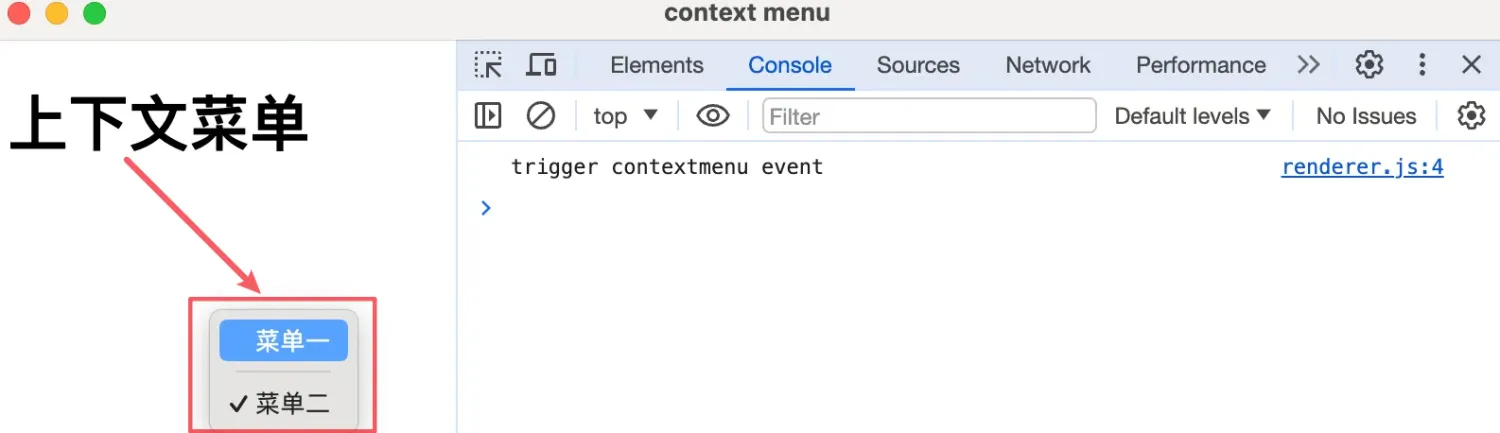
- 本节介绍如何如何使用 Menu 模块来创建一个右键菜单。这里提到的右键菜单,又称为上下文菜单,也就是你在一些应用程序的界面上,点击鼠标右键所弹出的内容。
1. links
- https://www.electronjs.org/zh/docs/latest/api/browser-window#browserwindowfromwebcontentswebcontents
- Electron,在示例中用到了这个
BrowserWindow.fromWebContents(webContents)这个 API。
- Electron,在示例中用到了这个
- https://www.electronjs.org/zh/docs/latest/api/menu#menubuildfromtemplatetemplate
- 查看
Menu.buildFromTemplate(template)这个 API 的相关说明。
- 查看
- https://www.electronjs.org/zh/docs/latest/api/menu-item
- 查看【菜单项】MenuItem 类的相关说明。
2. demo
// index.js
const { app, BrowserWindow, ipcMain, Menu } = require('electron')

let win
function createWindow() {
  win = new BrowserWindow({
    webPreferences: { nodeIntegration: true, contextIsolation: false },
  })

  win.webContents.openDevTools()

  win.loadFile('./index.html')
}

function handleIPC() {
  ipcMain.handle('show-context-menu', (event) => {
    const template = [
      {
        label: '菜单一',
        click: () => {
          // 发送点击菜单一事件到渲染进程
          event.sender.send('context-menu-command', 'menu-item-1')
        },
      },
      // 表示菜单分割线。
      { type: 'separator' },
      {
        label: '菜单二',
        type: 'checkbox',
        checked: true,
      },
    ]

    // 根据模板创建菜单
    const menu = Menu.buildFromTemplate(template)
    // menu.popup 方法使菜单在指定窗口中弹出。
    menu.popup({
      // BrowserWindow.fromWebContents 返回拥有给定 webContents 的窗口实例(BrowserWindow 类型)
      // 这里其实也可以不需要指定 window 参数,因为默认情况下 window 表示的是当前活动窗口(也就是你正在操作的窗口)。
      window: BrowserWindow.fromWebContents(event.sender),
    })
  })
}

app.whenReady().then(() => {
  createWindow()
  handleIPC()
})// renderer.js
const { ipcRenderer } = require('electron')
window.addEventListener('contextmenu', (e) => {
console.log('trigger contextmenu event')
e.preventDefault()
ipcRenderer.invoke('show-context-menu')
})
ipcRenderer.on('context-menu-command', (e, command) => {
console.log('【renderer process received msg from main process】', command)
})window.addEventListener('contextmenu', (e) => {})相当于监听界面上发生的鼠标右键事件。e.preventDefault()阻止事件的默认行为,在这个上下文中,它用于阻止浏览器在用户触发右键点击时显示标准的上下文菜单。ipcRenderer.invoke('show-context-menu')通知主进程显示上下文菜单。
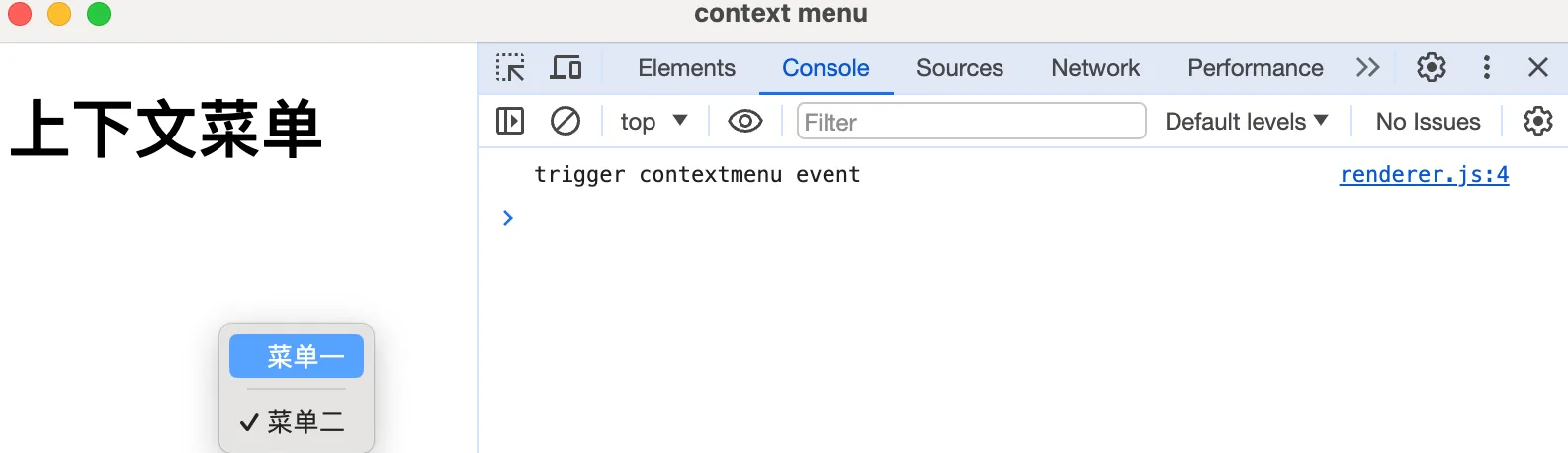
最终效果
在页面上右键,会弹出菜单。
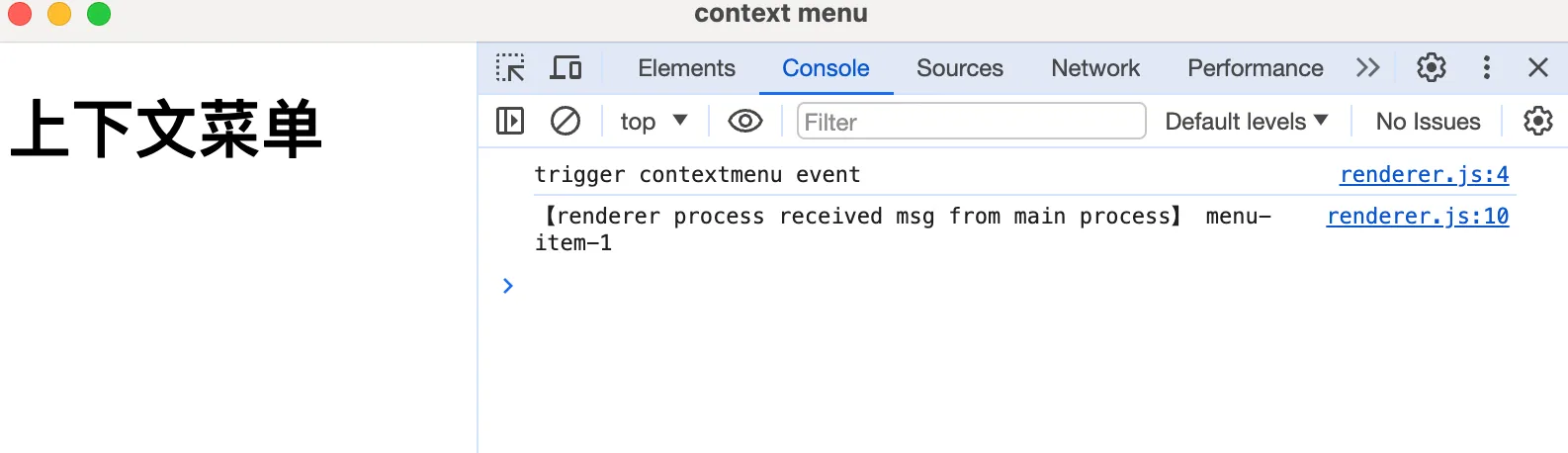
点击【菜单一】,主进程会给渲染进程发一条消息,在控制台中可以看到多了一条日志。
Discussions
正在载入评论…